
Submit a feature request
The WiscWeb WordPress Service and Strategic Communication’s Digital Strategy Team collaborate on the development and design of the UW Theme and its plugins. Because many requests overlap both WiscWeb and the UW Theme, we use a shared feature request board. This board is where you can submit new ideas, upvote requests from others, and report bugs and errors found in the theme.
Submit requests for…
On this page
How to submit a new request
Step 1: Prepare to submit
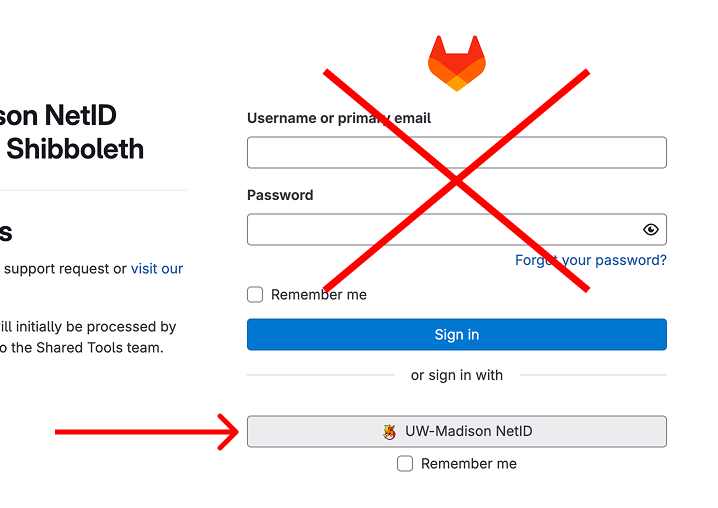
Go to the Feature Requests board in GitLab and sign in with your
UW–Madison NetID. Do not use a username or email.
Step 2: Search for similar issues first
Use the search bar at the top to check if a similar request already exists.
If you find a similar request:
- Open the issue.
- Click the thumbs up icon (👍) below the description to upvote.
- Add a short comment at the bottom of the page with why you need it, your site URL(s), and any barriers.
Step 3: Submit new issue
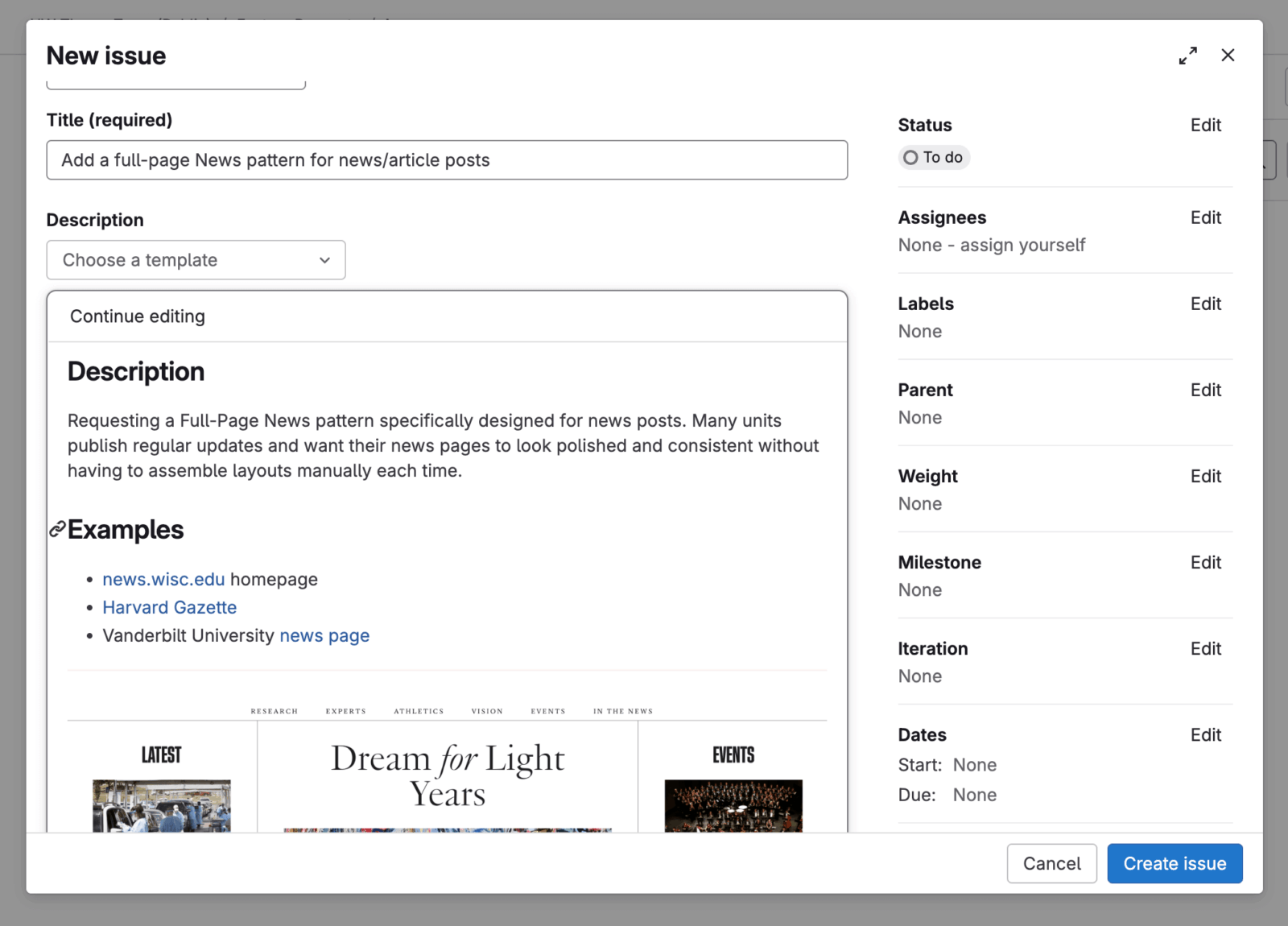
If there are no similar request, open a new issue:
- Click the New item button in the top right.
- Add a clear title describing the need or problem.
- Complete the description prompts.
- Select Create issue to submit.
Issues or questions about using the feature request board?
How we review and prioritize
Review process (quarterly)
We review all requests every quarter. During each review we:
- Evaluate new and active requests
- Ask follow-up questions if needed
- Suggest alternatives
- Provide status updates
- Move items into planning or backlog
- May close inactive requests (no activity for 6 months)
Closed requests can be reopened if campus needs change.
Prioritization process
We prioritize requests that show broad campus need, which we gauge through:
- User impact – how many people would benefit, which we gauge through upvotes, comments, and the use cases people share.
- Business impact – how the request supports campus goals, service needs, or common workflows.
- Level of effort – the time and complexity required to design, build, and maintain the request over time.
These signals help us make decisions that support the greatest number of people.