Migrate to UW Theme 2.0
Last updated:
UW Theme 2.0 is live! Built by the WiscWeb WordPress team and the Office of Strategic Communication’s Digital Strategy team, it’s the next generation of the UW Theme — designed for the WordPress block editor, also known as Gutenberg.
The block editor replaces the old editing experience with a modern, visual way to build pages.
On this page
Block editor
The biggest difference between the WordPress Classic Editor and Gutenberg is the editing experience to design and create page layouts.
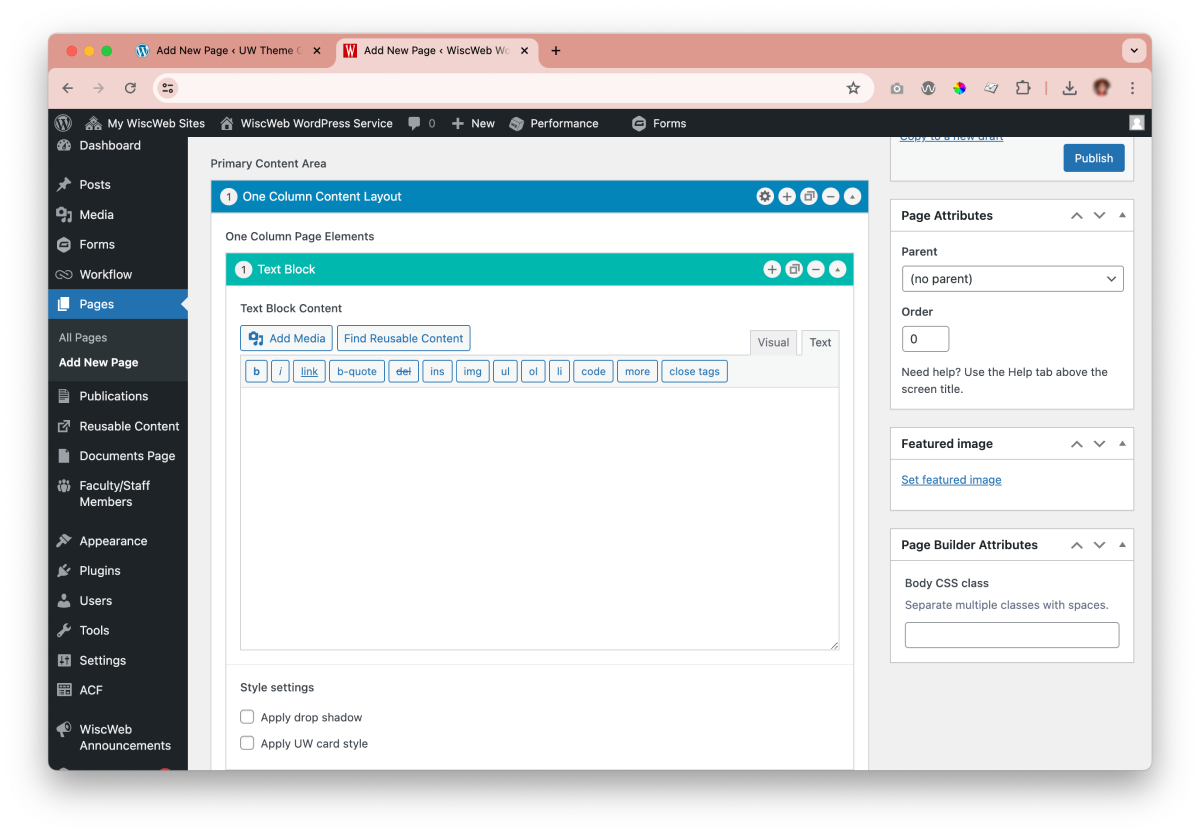
Classic editor
The Classic Editor uses a traditional WYSIWYG (What You See Is What You Get) interface, similar to older word processors like Microsoft Word.

Gutenberg/Block editor
Gutenberg provides a modern drag-and-drop interface, allowing you to add blocks to your pages or posts (images, buttons, quotes, etc.) and choose from pre-made layouts and templates.
Migration timeline
Now that UW Theme 2.0 is available, it’s time to start planning your migration from UW Theme Classic. Here’s what the process looks like and what supports are in place.
WiscWeb sites
WiscWeb WordPress sites have until the end of the 2026 calendar year to migrate.
UW Theme 2.0 is now available in WiscWeb. You can use it to create a new site, request a fresh site if you want to rebuild your current one, or use migration tooling to move your existing site content into UW Theme 2.0.
If your site is hosted in WiscWeb, they will be your primary source for timelines, support, and communication on migration. Visit WiscWeb migration documentation for more information.
Non-WiscWeb Sites
Sites outside of WiscWeb are not required to migrate immediately, but should plan ahead, as support for UW Theme Classic will end at the end of the 2027 calendar year.
Campus developers can download UW Theme 2.0 as a ZIP file, along with plugin files for custom UW blocks and features. Support outside of WiscWeb is limited, so custom implementations require independent setup.
Migration tooling is now available for UW Theme Classic sites hosted outside of WiscWeb.
Archive of project updates
For reference, visit the archive of monthly project updates on the UW Theme Classic website to learn more about changes made throughout this transition to UW Theme 2.0.


New feature freeze
Because UW Theme 2.0 is a major project for both the Office of Strategic Communication and WiscWeb, UW Theme Classic is no longer accepting new features.
Beyond 2026, UW Theme Classic will still be available to non-WiscWeb sites, but it will receive only bare minimum updates (e.g. new versions of ACF Pro; security updates). UW Theme Classic will officially be discontinued altogether at the close of 2027.
Stay connected
Check the options below to see how you can stay connected, get updates, and connect with others using UW Theme 2.0.
Check this page often for updates and general info about the UW Theme 2.0 transition and launch.
Join WiscWeb’s monthly Lunch and Learn sessions to see demos, hear updates, and ask questions about UW Theme 2.0 and the transition. Subscribe to the WiscWeb mailing list to receive updates and information about upcoming lunch and learns.
Sessions are recorded and shared on the WiscWeb YouTube channel.
Join the UW–Madison WordPress Users Group in Microsoft Teams to connect with other WordPress site owners, managers, and developers across campus. Share tips, learn best practices, and stay updated on UW Theme 2.0.
Campus WordPress developers can also request to join the Distributed WP Devs sub-channel by emailing the Digital Team in Strategic Communication. It’s a dedicated space to ask technical questions and collaborate on the theme.