today.wisc.edu
Last updated:
Display upcoming events from today.wisc.edu, UW’s campus-wide calendar, on your site. Customize the feed to feature your own events.
On this page
Block Preview
September
-
September 22Moonlighters: The 2nd Annual Art Department’s Staff ExhibitionSeptember 18 – 2412:00 AM, Art Lofts Gallery, Art Lofts
-
September 22SBDC Is it the Real World, or is it AI? An Entrepreneur’s 101 Introduction to Artificial IntelligenceAs a small business owner, manager, or employee, there’s so much you need to keep up on – so when do you have time to learn how to use AI? Today is the day!9:00 AM, Online
-
September 22Study Abroad 101Info Session
-
September 22
-
September 22WI Values Exchange: Beliefs in Practice Across Professional Perspectives in Practice PanelWhen values collide, how do professionals decide?
How to use
Insert the block
Using the Block Inserter, search for UW Today.wisc.edu and add it to your page. You can also type /uw today.wisc.ed in a new paragraph block and press Enter.
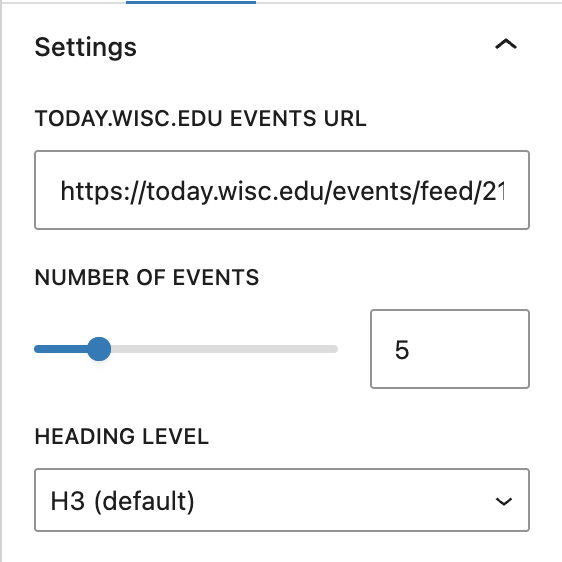
A sample list of featured events from today.wisc.edu will appear in the editor by default so that content appears on the page. Display your own list of events by adding your Today.wisc.edu Events URL in the block settings panel.
Block settings
Today.wisc.edu events url
Enter the tag-based feed URL for the events you want to display (e.g. http://today.wisc.edu/events/tag/yourtag). Learn how to create and find your events URL.
Number of events
Use the slider to increase or decrease the number of events you want to display on the page.
Heading level
Choose the correct heading level for each event title for accessibility. It should be one level below the heading that introduces your event list. For example, if your section title is an H2, set event titles to H3.
Event link
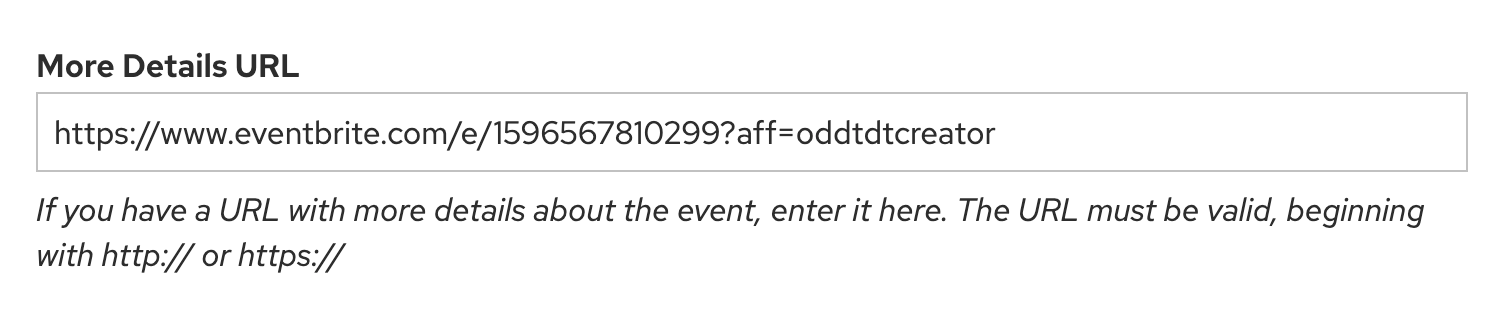
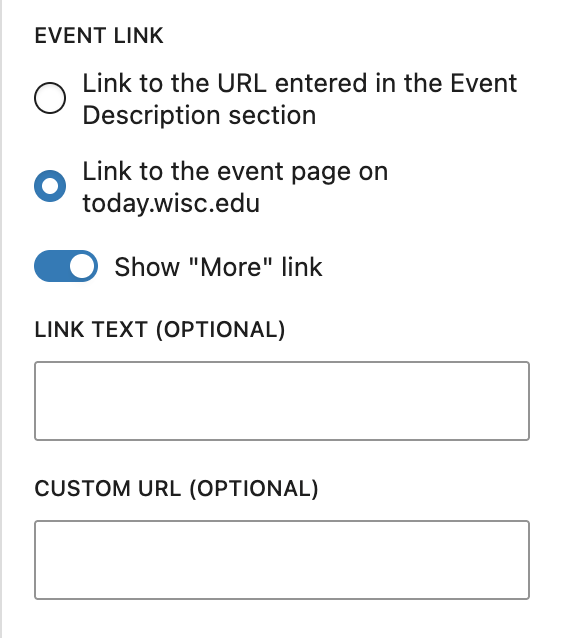
Choose where event titles link. By default, events link to the More Details URL set in today.wisc.edu. If none is set, they fall back to the event’s detail page on today.wisc.edu.
Select Link to the event page on today.wisc.edu to send all events to their detail page regardless.
Show “More” link
The “More events” link appears automatically below your event list, pointing to the same destination as your Event Link.
You can customize the link text, override the URL, or hide it entirely using the toggle. If you hide it, you can add your own using UW Single Link block instead for more control over style and placement.
Create and find your events URL
There are two ways to add an Events URL to display your feed.
Today.wisc.edu uses tags to organize events. The Events URL field in the block settings accepts only one tag by default. Here’s an example URL showing all events with the athletics tag:
https://today.wisc.edu/events/tag/athletics
You can browse tags on the today.wisc.edu homepage, or view tags listed on individual event pages.
To show events from more than one tag, set up a custom feed in today.wisc.edu. You can also add other filters to further refine the feed.
Step 1: Create a departmental account
You must be affiliated with a department in order to manage feeds. To request a new account, follow the steps below:
- Click your name in the top right of admin.today.wisc.edu.
- Request a new departmental account.
- Wait for approval (within one day).
Step 2: Create a new feed
- Go to admin.today.wisc.edu to log in (NetID required).
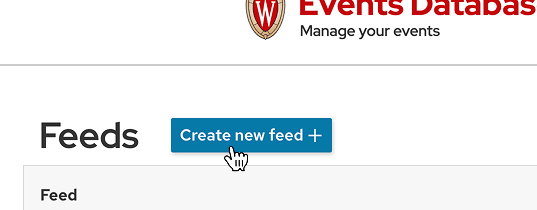
- Select Manage My in the main navigation, and then Feed.
- Add a title for your feed.
Step 3: Add filter rules
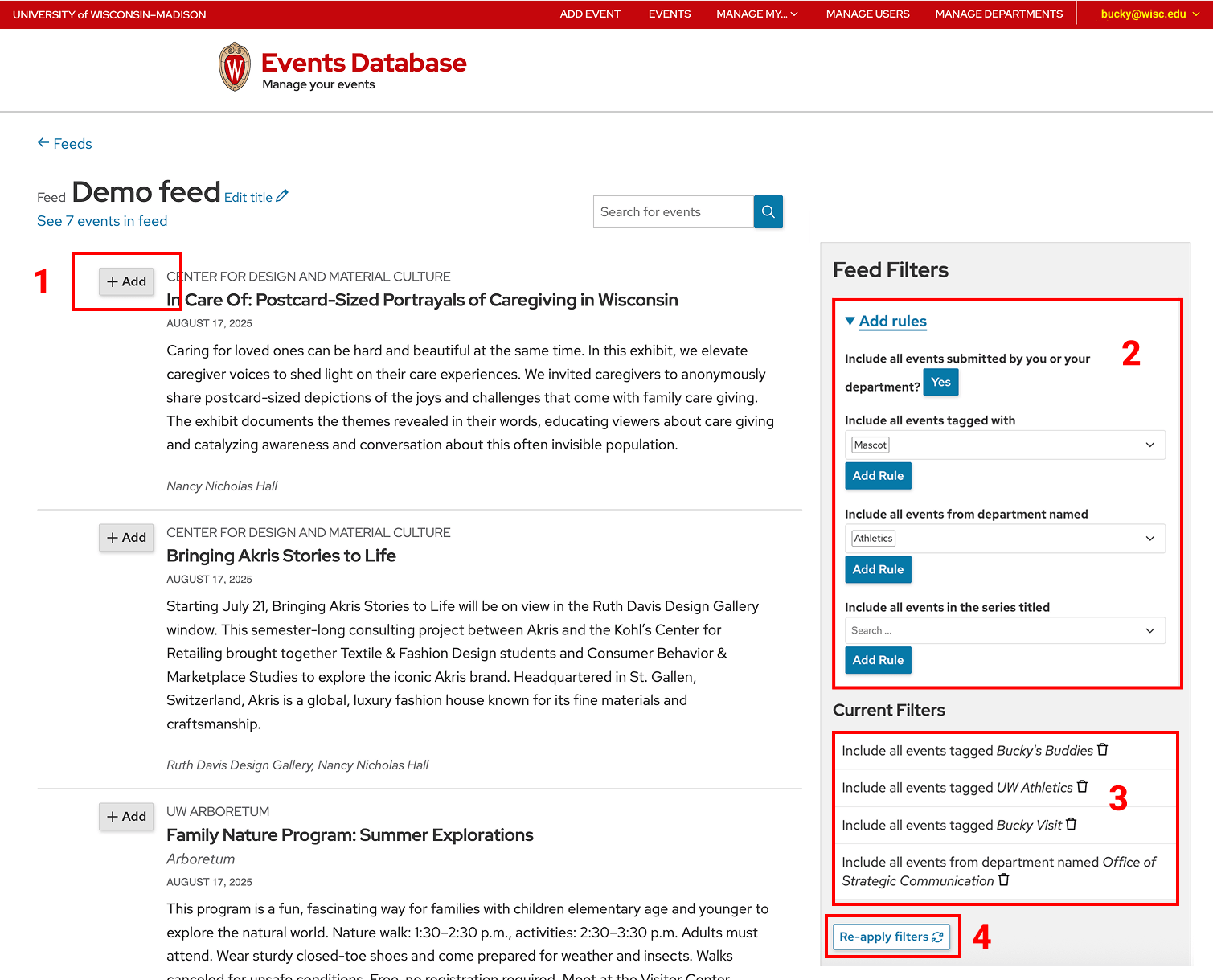
- To manually add events to your feed, click the +Add button next to any event in the public events list.
- Add filter rules for tags, departments, or event titles to include in your feed in the Feed Filters sidebar on the right. Click Add Rule for each tag you want to apply.
- Your active rules will appear in the Current Filters section.
- Click Re-apply filters to refresh your feed right away with the latest events that match your rules. Otherwise, the feed refreshes automatically each night.
Step 4: Copy feed URL
Go back to your feeds list: admin.today.wisc.edu/feeds. Click on the HTML link.

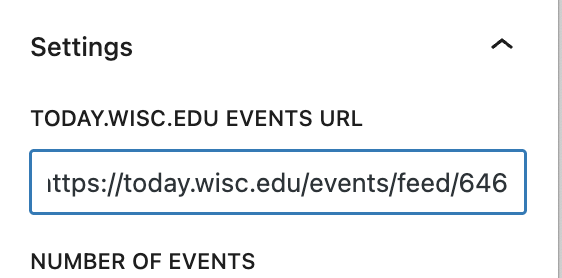
Copy your event feed URL in the address bar of your browser window.

Paste the URL into the Today.wisc.edu Events URL field in the block settings. The events will update after you click outside the field.
Questions
For questions about managing feeds or departmental accounts, contact today.strategiccommunication@wisc.edu.
Troubleshooting
Changes not showing?
If you make changes to an events feed and do not see changes immediately, those updates won’t display for 12 hours due to caching.
Event approval
Events created by official departments or student organizations need approval from the Office of Strategic Communication. This can delay when they appear in the feed.
If you need expedited approval, email today.strategiccommunication@wisc.edu.
Recommendations

When to use
- You want to display events from today.wisc.edu, UW’s campuswide calendar, so they are publicly visible across campus.
- You want your events to automatically update on your site when they are added or changed in today.wisc.edu.
- You need to feature events by tag or by a custom feed (multiple tags, departments, or rules).
When to consider something else
- Consider the UW Events plugin, an optional UW Theme 2.0 plugin, if you need or want events to only display on your site, rather than the campuswide calendar. However, today.wisc.edu is the recommended place to post campus events so they reach the widest audience.

Usability and accessibility
- Display no more than five events at a time to keep lists short and scannable.
- Label the block clearly with a header that tells users what kind of events they’re looking at.